Your monthly investor update, written from your metrics.
Investor Update Drafter pulls your live numbers, drafts a ready-to-send update, and lets you tune the tone — all before you sit down to write it yourself.
Pulls from your stack · drafts in under two minutes
From live metrics to a ready-to-send draft — no blank page.
One update, delivered to your whole LP list with segments.
Concise, Detailed, Punchy or Vulnerable — switch in a click.
Four steps between your metrics and your LPs' inboxes.
Every month follows the same short path. You review and approve — the draft is already waiting.
Pull metrics
Live numbers flow in from your stack — revenue, growth, runway and the rest — so the update starts with real data.
Draft the update
A full monthly update writes itself from those numbers — highlights, context and the story behind each change.
Tune the tone
Pick Concise, Detailed, Punchy or Vulnerable, and toggle which sections matter this month. The draft rewrites instantly.
Send & track
Deliver to your LP list in one click, then watch opens and replies land in your send history.
Same numbers. The voice that fits the month.
A raise month and a hard month don't read the same. Switch tone and toggle sections — the draft on the left updates as you go.
Team — June was a strong revenue month. MRR is up 14% to $48.2k and we added 27 new logos.
HighlightsNRR climbed to 112% and active teams grew 21% to 318 — expansion is doing the heavy lifting.
LowlightsCash is down 9% and runway ticked to 14 months; we're watching burn closely into Q3.
AsksTwo warm intros to Series A leads focused on vertical SaaS would move us forward.
HiringClosing a founding AE this month; still open for a senior product engineer.
Tone preset
Rewrites the whole update in a click — no re-typing.
Sections
Show only what matters this month.
From dashboard to draft to delivered.
Three screens that carry the whole monthly ritual — pull, draft, and follow up.
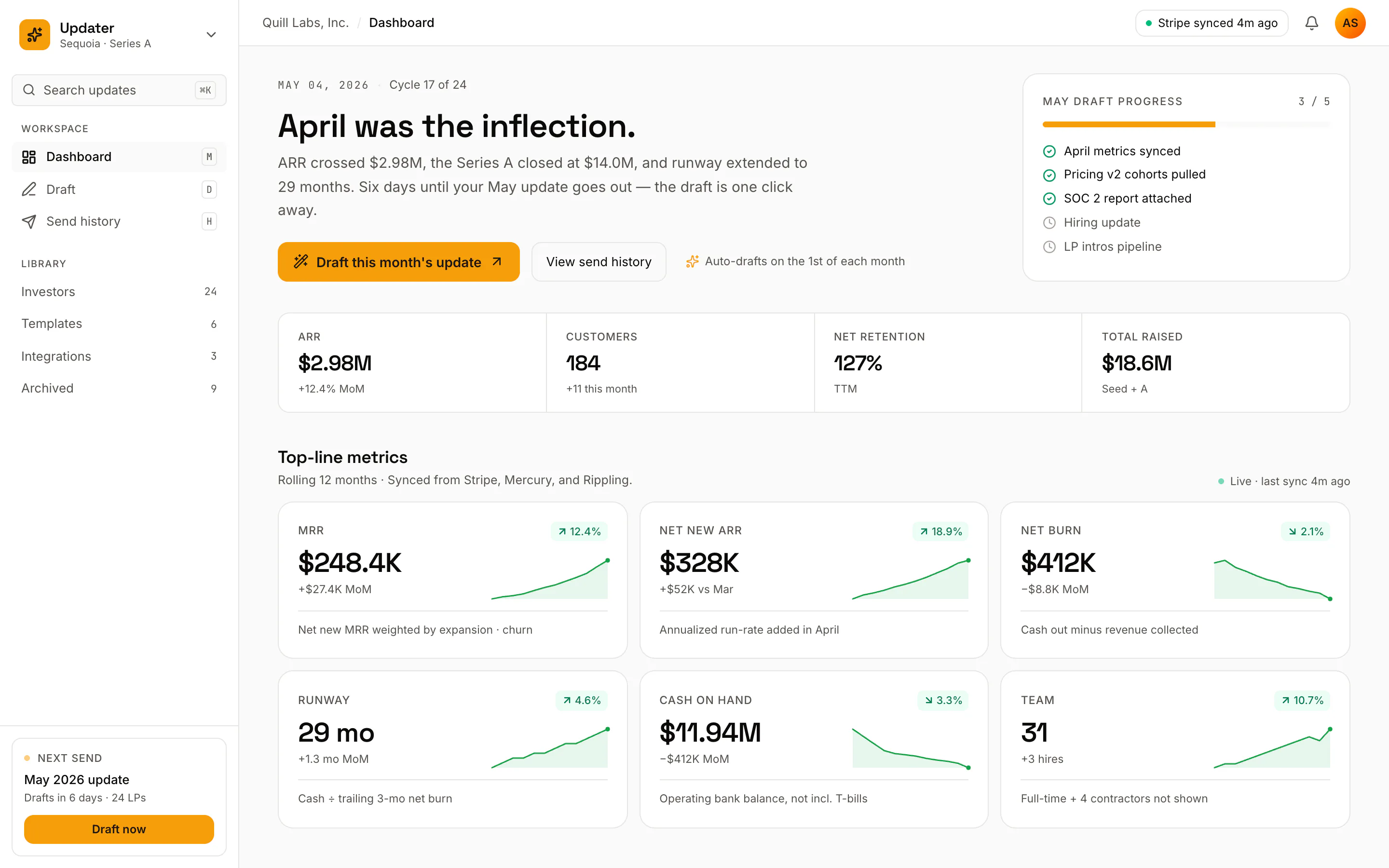
Start from the numbers, not a blank page.
Every metric that matters, with sparklines showing the trend — and one button to draft the month's update from exactly what you're looking at.
- Live sparklines for every key metric
- "Draft the monthly update" in one click
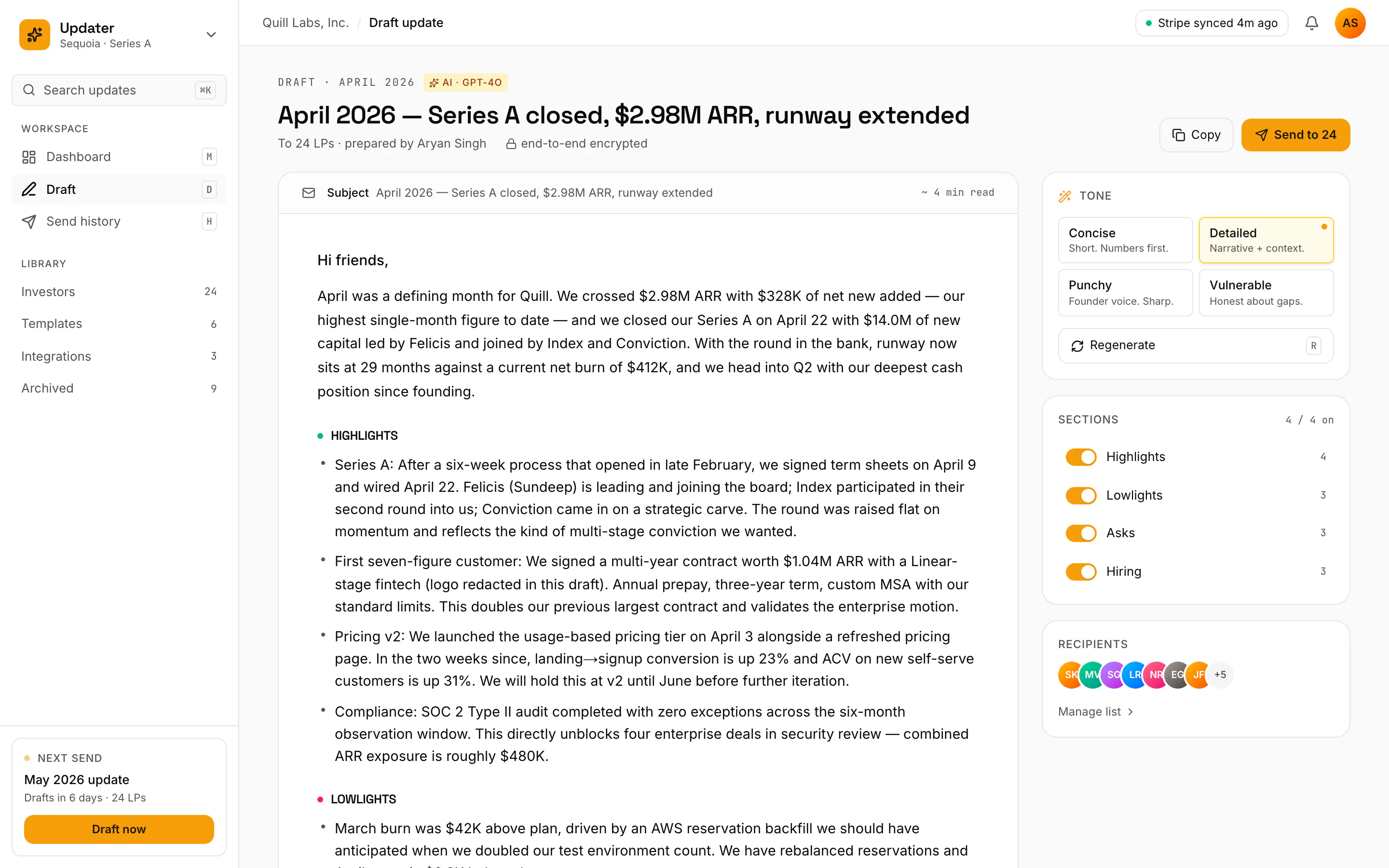
A finished update, with the tone in the rail.
The written update sits centre-stage while tone toggles wait in the right rail. Read it, switch the voice, and it rewrites without losing your numbers.
- Full draft written from live metrics
- Tone toggles in the right rail
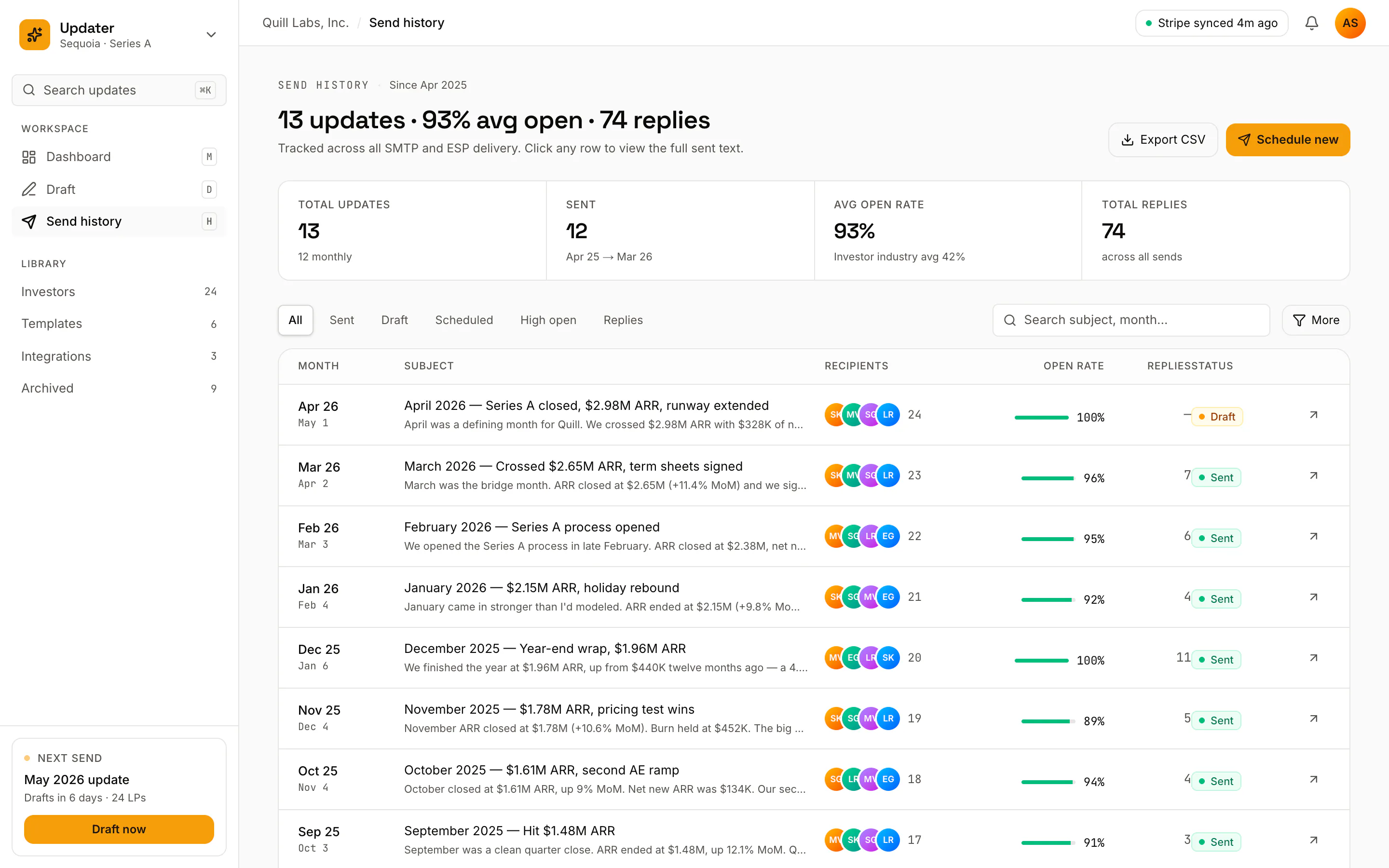
Know exactly what landed.
Every update you've sent, with open rates and replies. Click any row to open its detail panel and see who read it and who wrote back.
- Send history with open rates
- A detail panel for every send
Sending is only half of it.
Once an update goes out, the send history keeps score — so you know who's reading and who's replying, not just who's on the list.
Open rates, per send
See how many LPs actually opened each month's update, tracked against everyone you sent it to.
Replies, tracked
Replies from LPs are captured against each send, so a warm "let's talk" never gets lost in your inbox.
Recipients & segments
Manage your LP list with an avatar pile and segments — send to everyone, or just the people who need this month's news.
This month's update — drafted before you sit down.
See Investor Update Drafter run against your own metrics. Book a walkthrough with BuildspaceLabs and we'll draft a live update in the call.